
Phone-first users
Anyone who already uses a phone for email, maps and messaging will usually find the app easier to adopt.
The Silver Singles App matters because many mature daters want to handle messages, match checks and profile updates from a phone without feeling overwhelmed by a small screen. Mobile convenience can make online dating feel less like a task and more like a normal part of the day, but only when the app remains readable, safe and simple to control.
The Silver Singles App is most useful for the daily parts of online dating: checking new matches, reading profiles, receiving notifications and replying when a promising conversation moves forward. For mature users, that convenience can reduce the feeling that dating always requires sitting in front of a computer.
The mobile experience becomes especially practical during travel, errands or evenings when a quick reply feels more natural than opening a laptop. That said, the app is not always the best place to do everything. Longer profile writing, detailed account settings and careful photo review often feel easier on the website.
For a broader evaluation of the brand itself, the detailed SilverSingles review looks at value, match quality and user fit without repeating the mobile-specific guidance here.
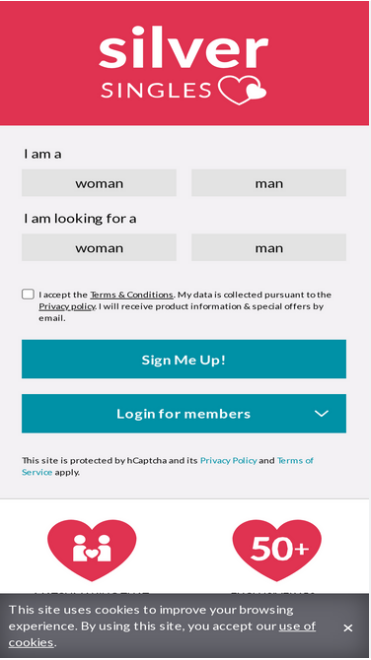
Anyone who already uses a phone for email, maps and messaging will usually find the app easier to adopt.
Phone access keeps conversations moving when a desktop is not nearby.
Short mobile sessions help people stay responsive without spending long stretches online.
Useful alerts can stop good conversations from fading simply because life got busy.
The app works best when tapping, scrolling and reading on a phone already feels normal.
Daily match checks are faster when the app is already in your hand.
Reading and answering short messages feels natural on mobile.
Phone photos are easy to access, though weak connections can slow uploads.
Alerts help you stay active without opening the app repeatedly.
Logging in from the app keeps your profile and matches within reach throughout the day.
Block and report tools matter most when you can use them quickly.
Small updates are easy on mobile, even if the first draft still feels better on desktop.
That is the clearest way to reduce the chance of installing a fake app.
Never sign in through a suspicious message or strange website link.
Unofficial downloads carry unnecessary risk and should be ignored.
Look carefully before installing so you do not choose a copycat listing.
If the design feels odd, stop and reopen the official app store listing instead.
Comfort starts with readability. Many mature users benefit from increasing phone text size before spending time in a dating app. A larger font can make long profiles and settings screens easier to understand without straining your eyes. Wi-Fi also helps with photo uploads, especially when image files are large or your mobile signal is uneven.
Password habits matter too. Save your password in a trusted password manager or the phone's secure password storage instead of writing it in a note or text message. Allow only the notifications that truly help, such as message alerts or important account prompts, so the app stays useful rather than distracting. Privacy settings deserve a quick review early on, and some users may feel more comfortable asking a trusted friend or family member to help with the first phone setup.
Quick replies help conversations stay warm.
Travel and errands no longer interrupt your dating routine.
A few minutes on mobile can keep your account active without taking over the day.
Mobile typing suits lighter, more natural follow-up messages.
Timely alerts can support better response habits.
The app keeps the core account features close at hand.
Reading careful profile details can be harder on a phone than on a larger screen.
Large files and weaker connections can create friction.
Some users prefer desktop when billing details are involved.
Too many alerts can make the app feel more demanding than helpful.
Long text entry and settings review are often more comfortable on the website.
| Task | Better on App | Better on Website | Why |
|---|---|---|---|
| Creating profile | No | Yes | A larger screen makes early writing more comfortable. |
| Writing bio | No | Yes | Desktop supports longer, more careful editing. |
| Uploading photos | Sometimes | Sometimes | Phone access is handy, but stable Wi-Fi still matters. |
| Reading long profiles | No | Yes | Desktop offers easier scanning and comparison. |
| Checking messages | Yes | Yes | Mobile wins for convenience and speed. |
| Reviewing matches | Yes | Yes | Both work, though quick checks feel smoother on mobile. |
| Managing account | Sometimes | Yes | Billing and settings are often clearer on desktop. |
| Traveling | Yes | No | The phone keeps the account active anywhere. |
Use the official reset tool and save the new password securely.
Restart the app, check for updates and confirm your connection.
Confirm the exact address used during signup before assuming the account is gone.
Review both app settings and phone notification permissions.
Use Wi-Fi, reduce file size if needed and try again later if the app seems slow.
Handle payment questions on the website if the phone screen feels cramped.
Delete the suspicious app and reinstall only from the official store listing.
The Silver Singles App is best as a daily companion after the account is set up. It works well for messages, quick profile checks and staying active when life gets busy. The website still feels better for writing the first profile, reviewing account details and making careful payment decisions.
The app covers the same account in a phone-friendly format, while the website often feels better for longer reading and setup work.
Start by checking your login, reviewing notifications and reading a few suggested matches before making bigger profile changes.
Yes. That is one of its strongest uses.
Install only from official app stores and stay away from unknown download links.
They help you stay responsive without checking the app constantly.
Weak signal, oversized files and temporary app issues are common causes.
Yes. Phone access is especially convenient while traveling.
Most daily actions work on mobile, but some people prefer the website for settings and billing details.
Restart it, update it and check your internet connection first.
Move to the website when you want to write longer profile text, review billing details or make more careful account changes.